<span><a href="/docs/index.html">首页</a> > <a href="/docs/en-us/editor/group_104.html">Edit SDK Template Guide</a> > Track Animation Guide</span>
Track Animation Guide
Update time : 2020-05-06 11:40:54
Track Animation Creation and Exporting Guide
Track animation is used to add animation to sticker track when editing videos. It is also called sticker animation. When you select a sticker before editing, you can add animation to the sticker.
So how to create a sticker animation?
Steps:
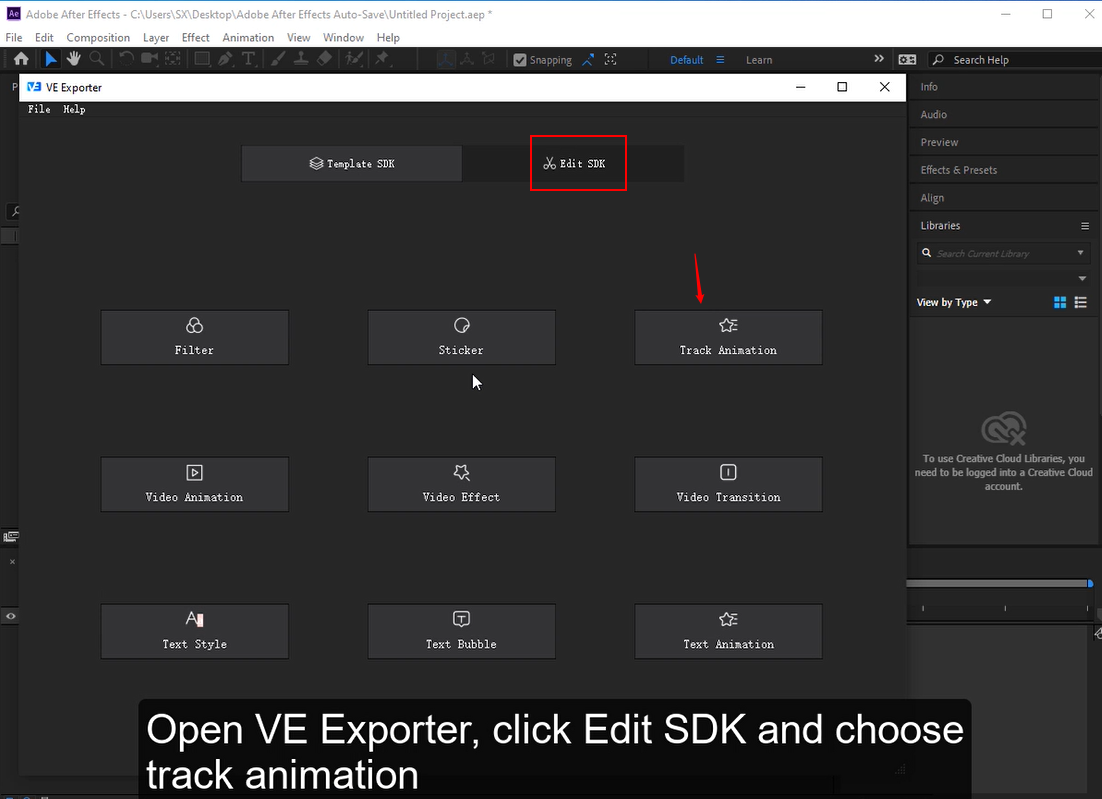
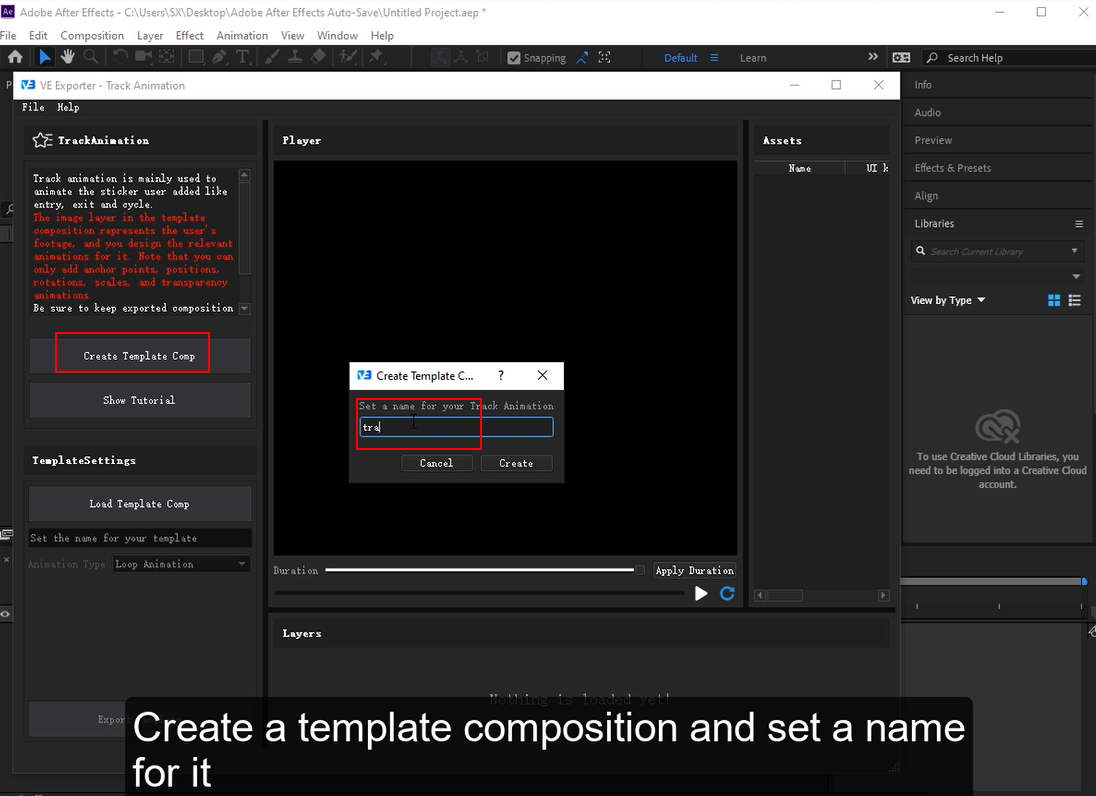
- Open VE Exporter, click Edit SDK and choose track animation function. Then click Create Template Comp and set a name for your track animation template composition.
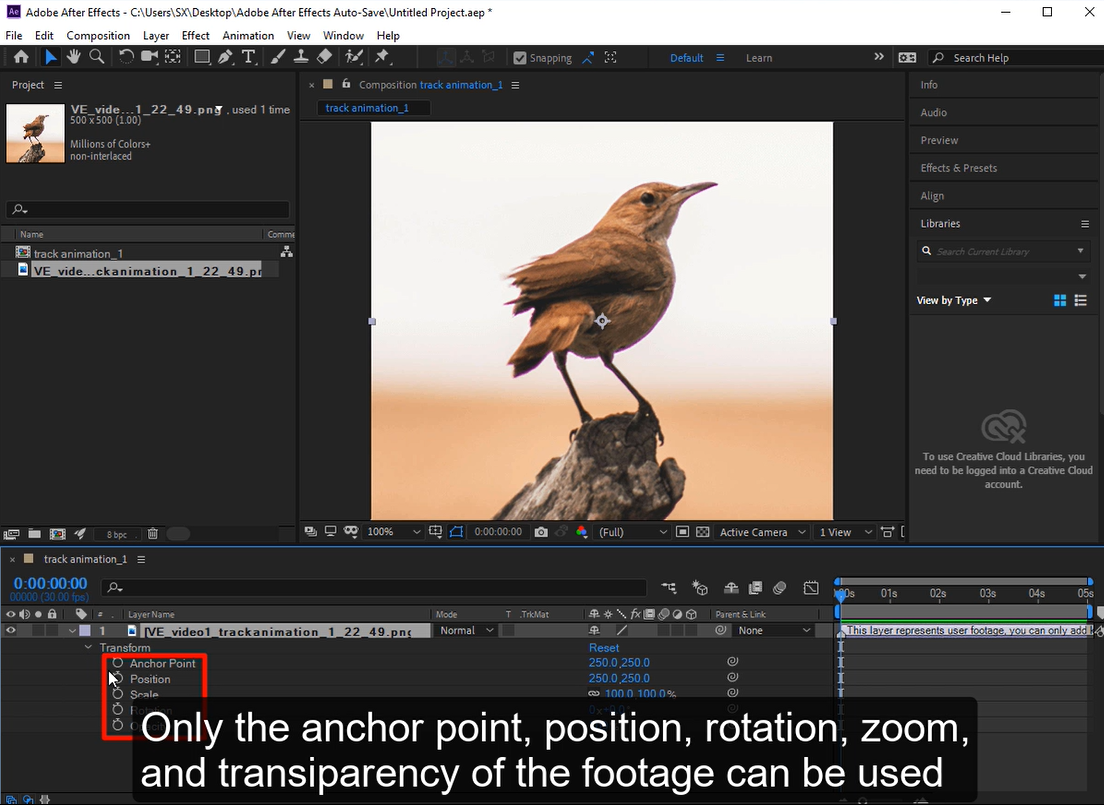
- Add animation to default footage in track animation, and only the anchor point, position, rotation, zoom, and transparency of the footage can be used.
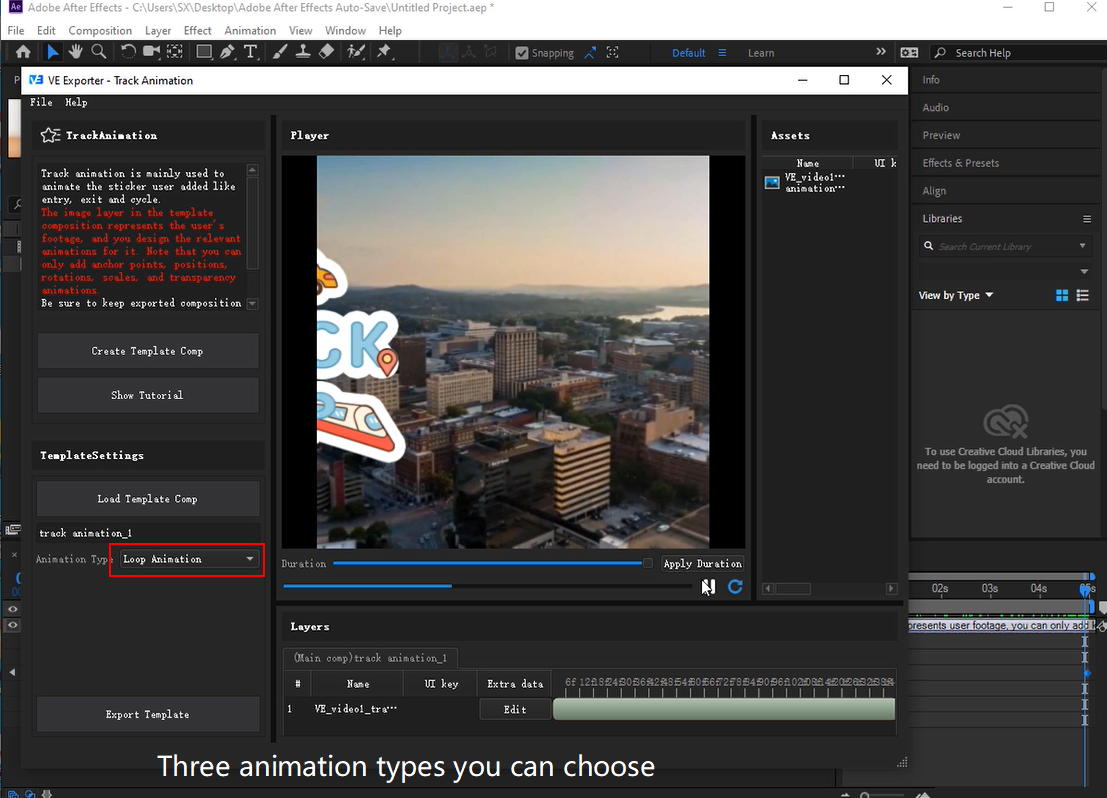
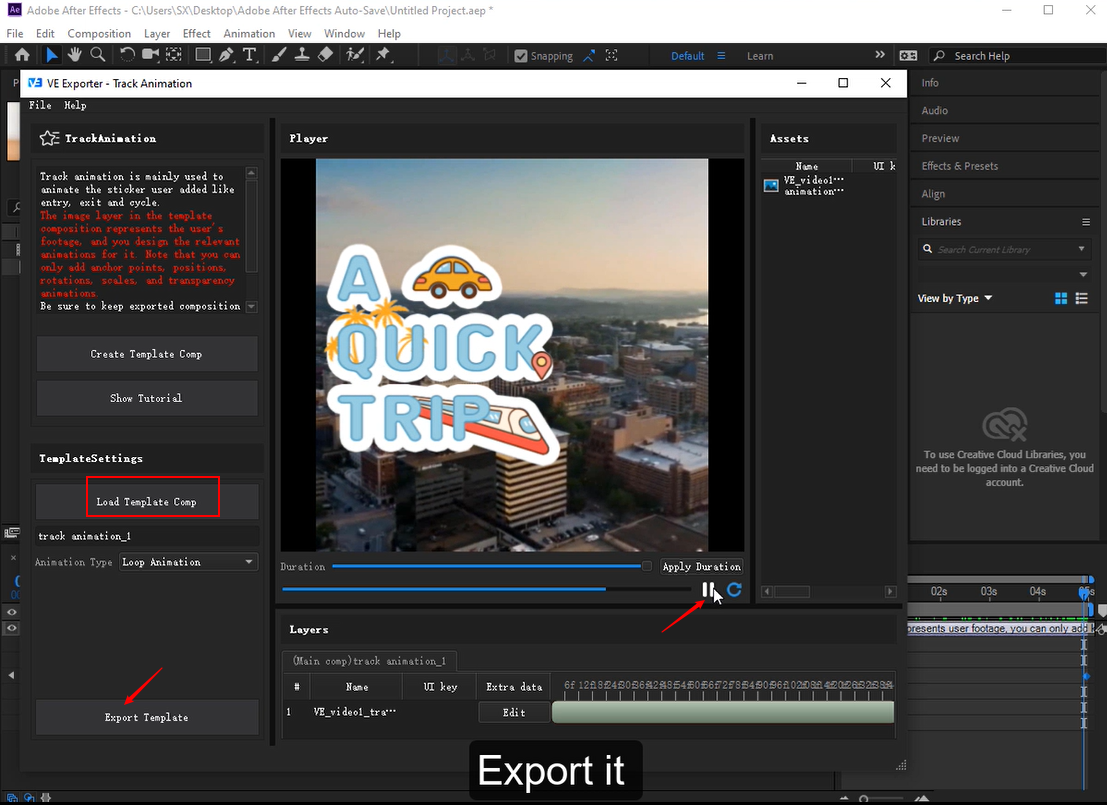
- After animating the sticker, open VE Exporter and click Edit SDK then choose track animation function again and then load template composition. Select a animation type from three types, entrance animation, exit animation and loop animation.
- Entrance animation is used to add entrance effect to your footage. If you want to design entering animation effect, select it.
- Exit animation is used to add exit effect to your footage. If you want to design exit animation effect, select it.
- Loop animation is used to add loop effect to your footage. If you want to design loop animation effect, select it.
- Last, open VE Exporter and click Edit SDK then choose track animation function again. Preview it or click Export Comp and set up a new folder in your computer then export it to your new folder.



 账号信息
账号信息 我的产品
我的产品 退出登录
退出登录